EspFrame for Immich
EspFrame is a standalone Immich digital photo frame for a supported Guition ESP32-P4 touchscreen. It turns an ESP32 photo frame into a private, self-hosted photo frame that displays your Immich library directly from your own server.
The firmware runs on ESP32-P4 hardware with ESPHome and connects to Immich over HTTP or HTTPS. It does not need Home Assistant, a cloud account, or a separate bridge service.
Ready to get started? Install EspFrame. Need a display first? Where to Buy.
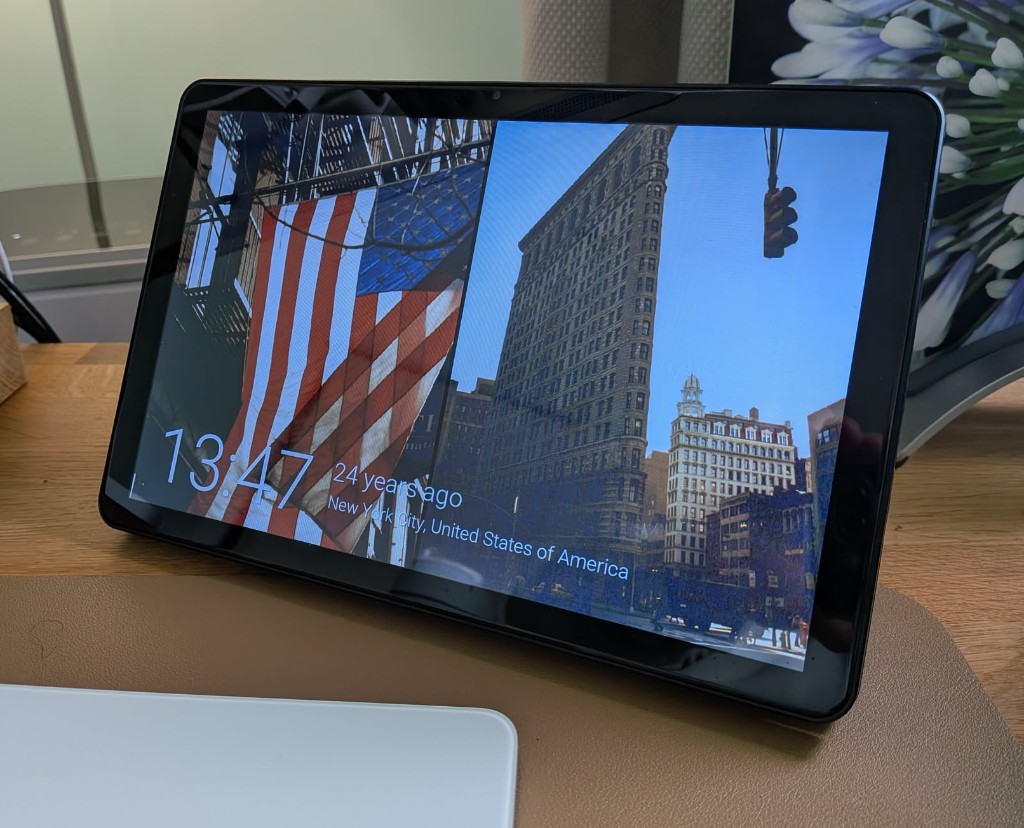
What EspFrame Does
EspFrame firmware runs on the display itself with ESPHome and connects directly to your Immich server over HTTP or HTTPS to show photos from your own network. It supports all photos, favorites, albums, people, memories, and date-filtered selections. Home Assistant, a separate bridge app, and a cloud service are not required.
Use the frame's settings to adjust brightness and screen tone, schedule the display, pair portrait photos, and show a clock over the slideshow. The photo sources guide explains the available sources and filters.
What You Need
- A supported 10.1-inch Guition ESP32-P4
JC8012P4A1display. - A working Immich server the frame can reach on your network or over HTTPS.
- An Immich API key; Read-only permissions are recommended.
- A USB-C data cable (not a charge-only cable) and a desktop computer running Chrome or Edge for browser installation with Web Serial.
See supported screen revisions and the full installation requirements.
Get Started
- Install EspFrame on the display.
- Connect the frame to WiFi.
- Enter your Immich server URL and Immich API key.
- Choose the photo sources for the slideshow.
For USB connection help, see USB flashing. If setup does not work as expected, visit troubleshooting.
Privacy
EspFrame does not upload photos or send your library through a hosted service. The frame requests thumbnails and metadata from the Immich server URL you configure. If that server is only available on your local network, the frame stays local too.
Features
- Smart Photo Filters — Combine albums, people, tags, favorites, ratings, dates, locations, exclusions, and orientation.
- Display Tone Adjustment — Adjust colour temperature so the panel looks right (e.g. warm the image if it’s too blue).
- Night Tone — Automatically adjust screen tone between sunset and sunrise.
- Screen Scheduling — Schedule when to turn off the display; set daytime and night-time brightness levels separately.
- Portrait Pairing — Automatically pairs portrait photos taken on the same day by default, with optional ±1-day or ±2-day matching for a side-by-side display that fills the screen edge-to-edge.
- Clock Overlay — Displays the current time over your photos when enabled in settings.
- No Hub Required — Connects directly to your Immich server over HTTP or HTTPS — no Home Assistant, cloud service, or extra software needed.
Where to Buy
| Model | Panel | Stand |
|---|---|---|
Guition ESP32-P4 10.1-inch JC8012P4A1 | AliExpress | MakerWorld |
The installer helps you choose the right firmware for your display.
Support This Project
If you find this project useful, consider buying me a coffee to support ongoing development!
