Source Inputs
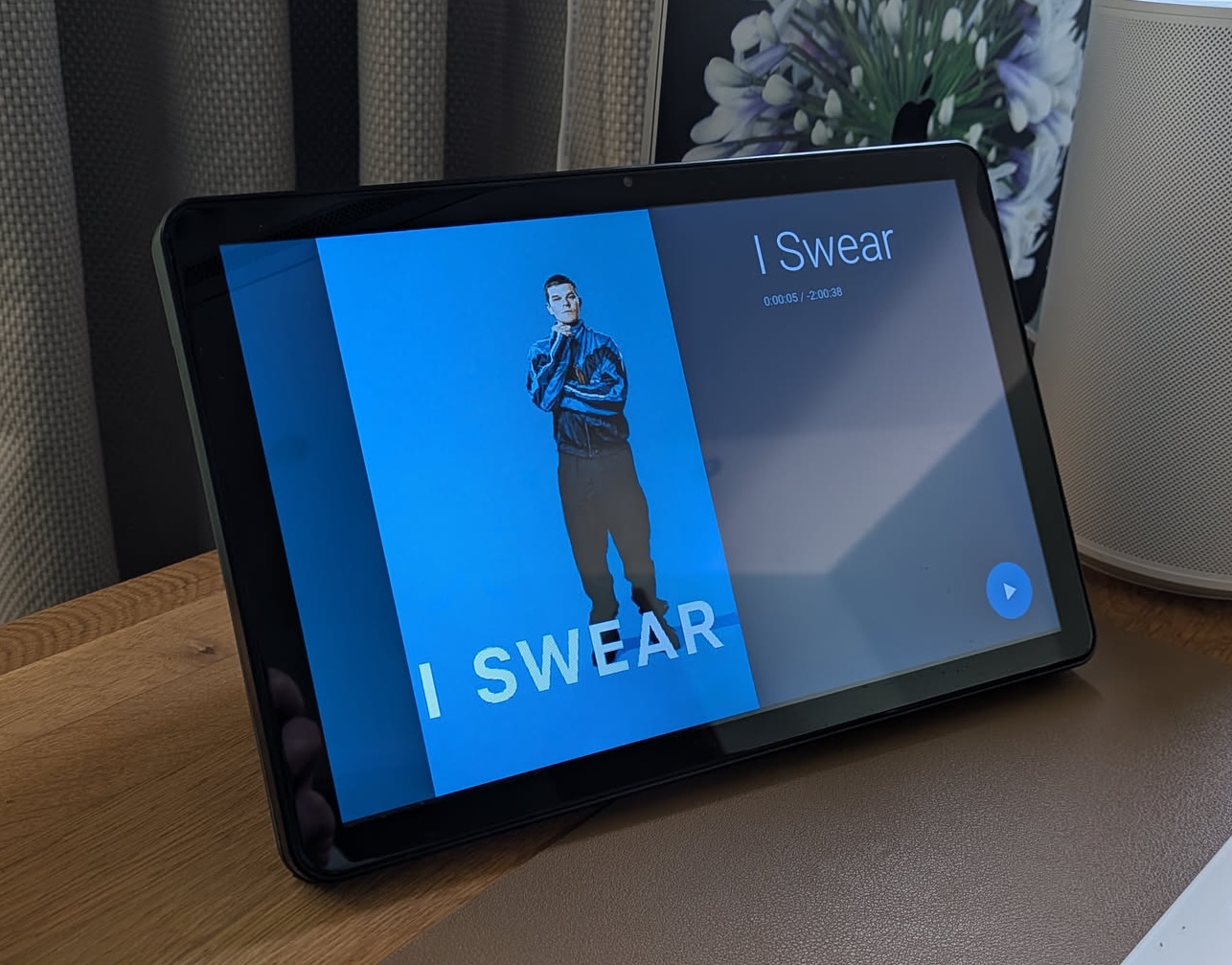
If your speaker has a source input — such as a TV (soundbars like Sonos Beam or Arc with HDMI) or Line-in (speakers and amps like Sonos Five, Play:5, Port, or Amp with a 3.5mm/RCA input) — the controller can display now-playing info from the media player connected to that input. This feature is entirely optional — the controller works without it.
WARNING
This feature is in beta. If you encounter any issues, please open an issue on GitHub.
How it works
- Automatic switching — when the speaker's active source changes to "TV" or "Line-in", the UI switches to show title, artist, artwork, and progress from the media player connected to that input. When the source changes back, the UI reverts to the primary player.
- Idle state — when the source input's media player is idle, off, or on standby, the screen displays the source name ("TV" or "Line-in") on a black background with playback controls hidden. Controls reappear when playback starts again.
- Routed controls — play/pause, next, and previous are automatically sent to whichever player is active (music or source input).
Setup
On the device page in Home Assistant (Settings → Devices & Services → ESPHome → your device), set the Source Input Media Player field to the entity ID of the media player connected to your input (e.g. media_player.apple_tv).
Leave this field empty to disable the feature.
Compatibility
This feature works with any speaker that exposes a "TV" or "Line-in" source attribute and any media player entity in Home Assistant.
Tested with:
- TV (soundbars): Sonos Beam, Sonos Arc
- Line-in (speakers/amps): Sonos Five, Sonos Play:5, Sonos Amp, Sonos Port
- Source input media players: Apple TV, Chromecast