
Built-in Relays
Some supported panels include physical relays that can switch external low-voltage circuits. The Guition 4-inch relay variant is often listed as 4848S040C and includes three relays. The ESP32-P4-86-Panel-ETH-2RO includes two relays.
The relays are exposed by the standard firmware for each supported relay panel.
Home Assistant Entities
EspControl exposes each relay in two ways:
- Relay switches stay on until you turn them off again.
- Relay push buttons turn the relay on for 200 ms, then turn it off again.
| Panel | Relay | Switch entity | Push button entity | Relay pin |
|---|---|---|---|---|
| 4848S040C | Relay 1 | switch.<device_name>_relay_1 | button.<device_name>_relay_1_push | GPIO40 |
| 4848S040C | Relay 2 | switch.<device_name>_relay_2 | button.<device_name>_relay_2_push | GPIO2 |
| 4848S040C | Relay 3 | switch.<device_name>_relay_3 | button.<device_name>_relay_3_push | GPIO1 |
| ETH-2RO | Relay 1 | switch.<device_name>_relay_1 | button.<device_name>_relay_1_push | GPIO32 |
| ETH-2RO | Relay 2 | switch.<device_name>_relay_2 | button.<device_name>_relay_2_push | GPIO46 |
They appear as normal Home Assistant entities on the EspControl device. You can control them from Home Assistant dashboards, automations, scripts, and Home Assistant voice assistants.
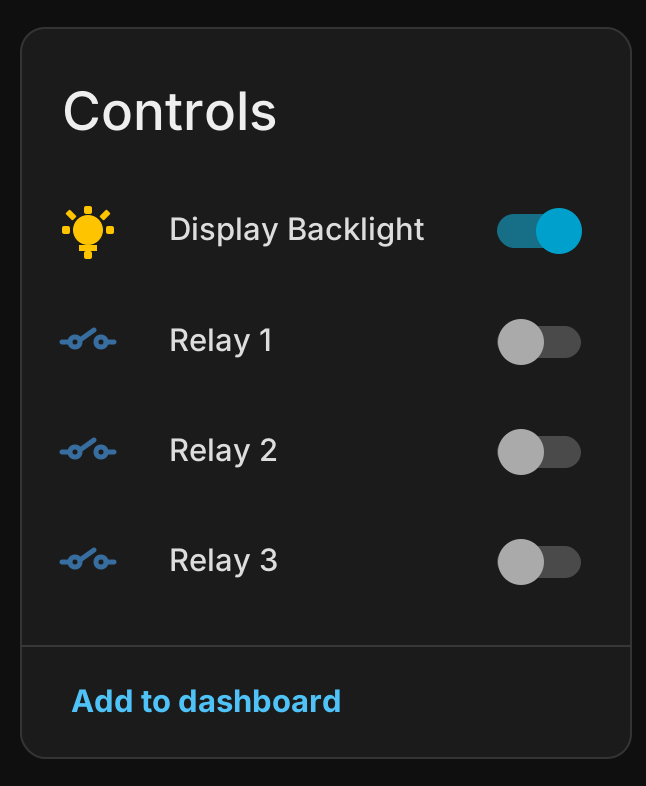
Home Assistant may adjust the exact entity ID if you have renamed the device or if another entity already used the same name. To find them, open Settings > Devices & services, select your EspControl device, then look for the relay switches and relay push buttons under the device entities.
Switches vs Push Buttons
Each relay has both a switch and a push button version because they suit different wiring jobs.
| Entity type | What it does | Typical uses |
|---|---|---|
| Relay switch | Turns the relay on and leaves it on until you turn it off. | Keeping a low-voltage light, LED strip, fan input, buzzer, or other simple circuit on for a while. |
| Relay push button | Pulses the relay on for 200 ms, then turns it off automatically. | Mimicking a quick press on a garage door input, gate opener, doorbell, dimmer, lighting controller, scene controller, or any device that expects a momentary button press. |
Use the switch version when the relay should represent an ongoing on/off state. Use the push button version when the connected device only needs a short signal and then takes care of the action itself.
Using Relays on the Touchscreen
Relay controls on the touchscreen can work locally on the panel. Use an Internal Switches card when you want the touchscreen to control the physical relay even if Home Assistant is offline.
Internal Switches cards have two modes:
- Switch — looks like a normal Switch card and toggles the selected relay on or off.
- Push Button — looks like a Trigger card and briefly pulses the selected relay.
- Open the EspControl setup page in your browser.
- Choose an empty card slot.
- Change the type to Internal Switches.
- Choose the relay you want to control.
- Choose Switch or Push Button mode.
- Save the card configuration.
The relay entities are still exposed to Home Assistant. You can keep using normal Switch cards with relay entity IDs if you prefer Home Assistant to stay in the middle, but those cards need Home Assistant to be connected.
The push button entities are useful when the relay is wired in parallel with existing momentary wall switches, for example when it is driving a dimmer or lighting controller that expects a short button press rather than a permanent on/off output.
Startup Behaviour
The relay outputs default to off after startup or restart. This helps avoid a relay turning on unexpectedly when the panel reboots.
If you need a relay to return to a particular state after restart, handle that with a Home Assistant automation once the EspControl device reconnects.
Testing
After updating the firmware, test each relay from Home Assistant before connecting it to anything important. You should hear or feel each relay click when it changes state.
Safety
Electrical work can be dangerous
Always consult a qualified electrician before using the relay outputs, especially for anything connected to fixed wiring, mains voltage, garage doors, gates, heating equipment, or anything else that could cause injury or property damage.
Use the relay feature at your own risk. EspControl and its maintainers are not responsible or liable for damage, injury, code violations, incorrect wiring, equipment failure, or other losses caused by using the relay outputs.
Check the relay rating printed on your board or supplied by the seller before connecting anything. Do not use the relays for mains voltage unless your specific relay board, wiring, enclosure, and local electrical rules make that safe.