
4-inch 4848S040
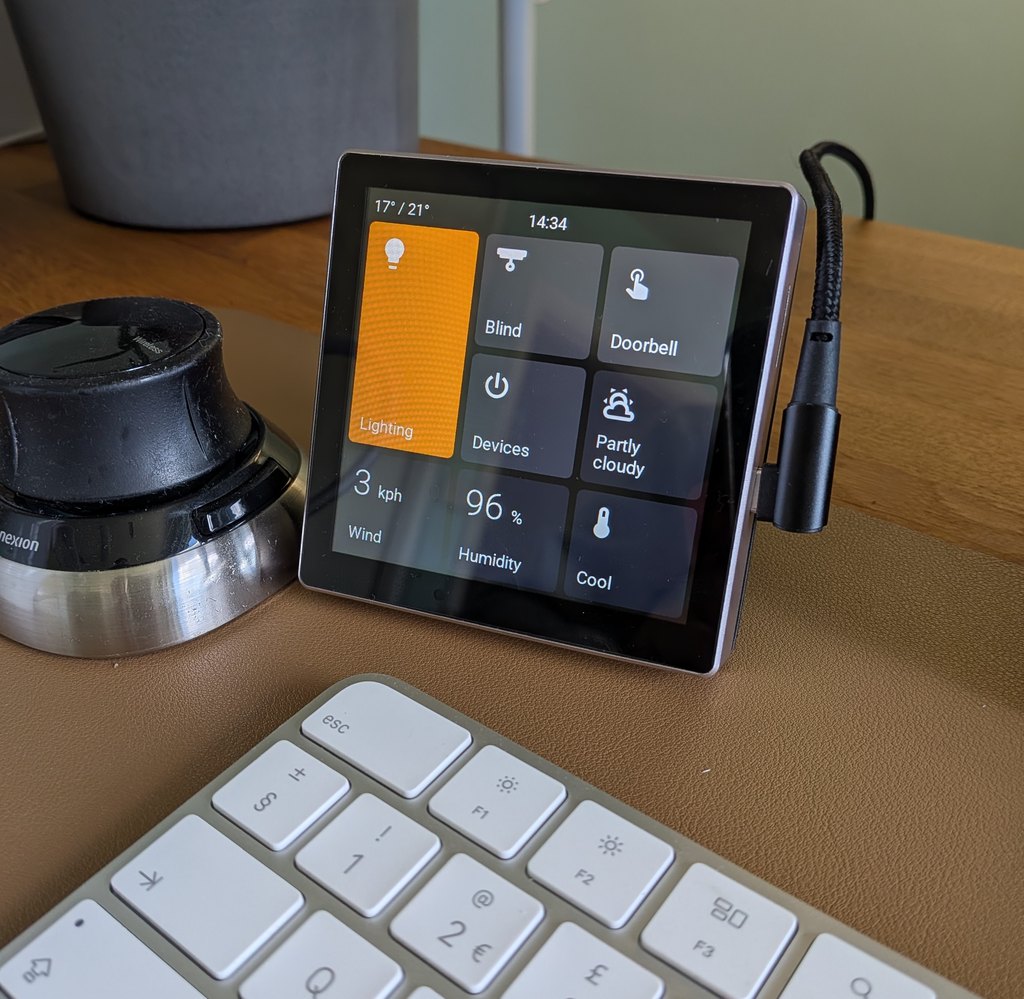
The Guition 4848S040 is a compact 4-inch square touchscreen powered by an ESP32-S3 processor. It's the most affordable panel EspControl supports, with a 480×480 display and room for 9 cards on the home screen.
Some 4848S040C relay variants also include three built-in relays. EspControl exposes these as Built-in Relays in Home Assistant.
Touch calibration is set in firmware for the 480×480 screen. If taps activate neighbouring buttons, include your screen rotation and which button responds in your issue report.
Card Grid
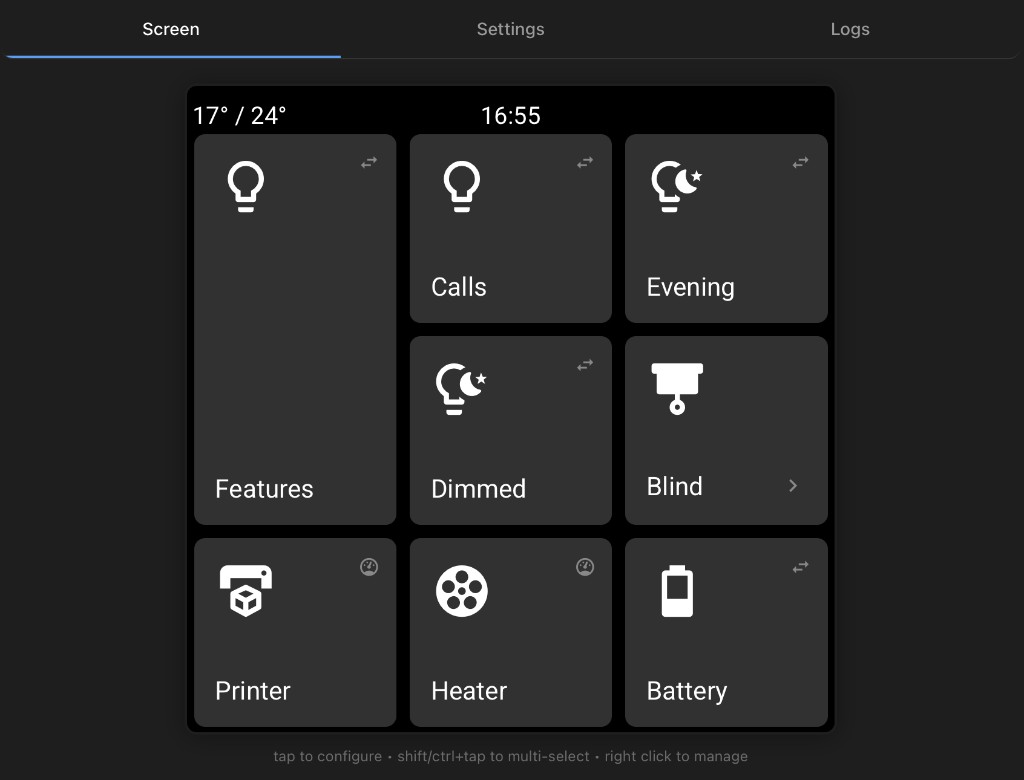
The home screen uses a 3-row x 3-column grid, giving you 9 card slots. Any home-screen card can be turned into a Subpage folder containing up to 8 more cards.
Flexible card sizes are supported: Single, Tall, Wide, and Large.
This screen supports two shared image cards across the home page and subpages, allowing one Camera Card alongside one Media Cover Art card. Camera cards show still snapshots from camera.* or image.* entities. Their expanded image is requested at up to the display's native 480 px resolution; live video remains unavailable on this ESP32-S3 model.
Install
Connect the display to your computer with a USB-C data cable, then click the button below.
For a full walkthrough including WiFi setup and Home Assistant pairing, see the Install guide.
After flashing or OTA update
This panel uses MIPI RGB with octal PSRAM, which requires a brief hardware reset after flashing or OTA updates. The firmware handles this automatically with a short deep-sleep cycle — the display may flicker once before coming back up normally.
ESPHome Manual Setup
If you use ESPHome and prefer to compile firmware yourself:
substitutions:
  name: "bedside-screen"
  friendly_name: "Bedside Screen"

wifi:
  ssid: !secret wifi_ssid
  password: !secret wifi_password

packages:
  setup:
    url: https://github.com/jtenniswood/espcontrol/
    file: devices/guition-esp32-s3-4848s040/packages.yaml
    refresh: 1sec
Where to Buy
- AliExpress: ~£16
- Case stand (3D printable): MakerWorld