
Allow EspControl to Control Home Assistant Devices
EspControl needs permission to call Home Assistant actions (like toggling lights, running scripts, changing media volume, or adjusting climate targets) on your behalf. Without this, the touchscreen can display read-only information but cards won't be able to control your devices or request forecast data.
Your display will prompt you to do this during first-time setup. Follow the steps below.
Enable Actions
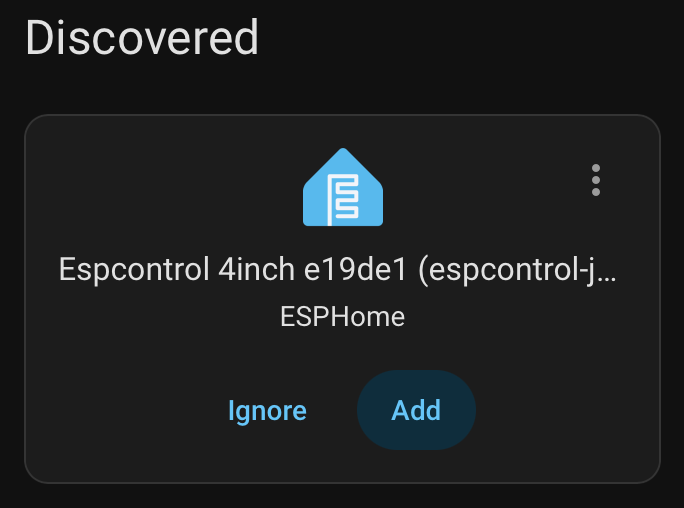
- Open Home Assistant and go to Settings > Devices & Services and add the discovered device (if the device wasn't discovered, find its IP address and add it as an ESPHome device).
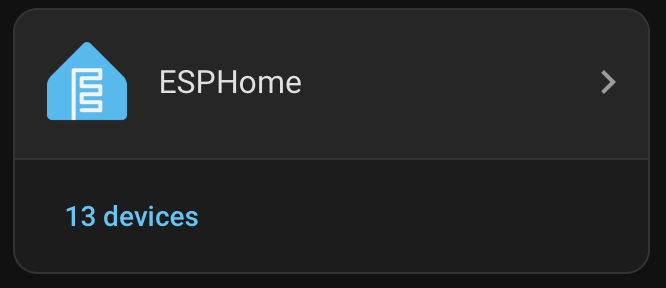
- Find the ESPHome integration and click on the top half (ESPHome > ), if you click on the number of devices, you'll end up on a different view.
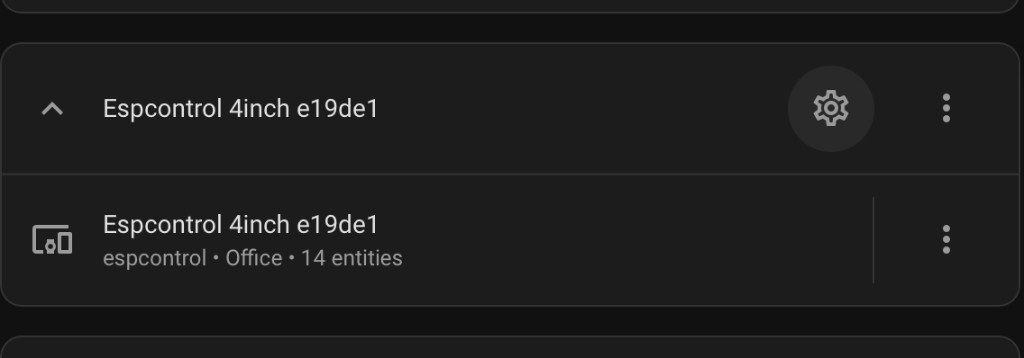
- Find your EspControl device in the list. Click the Configure button (gear icon) next to it.
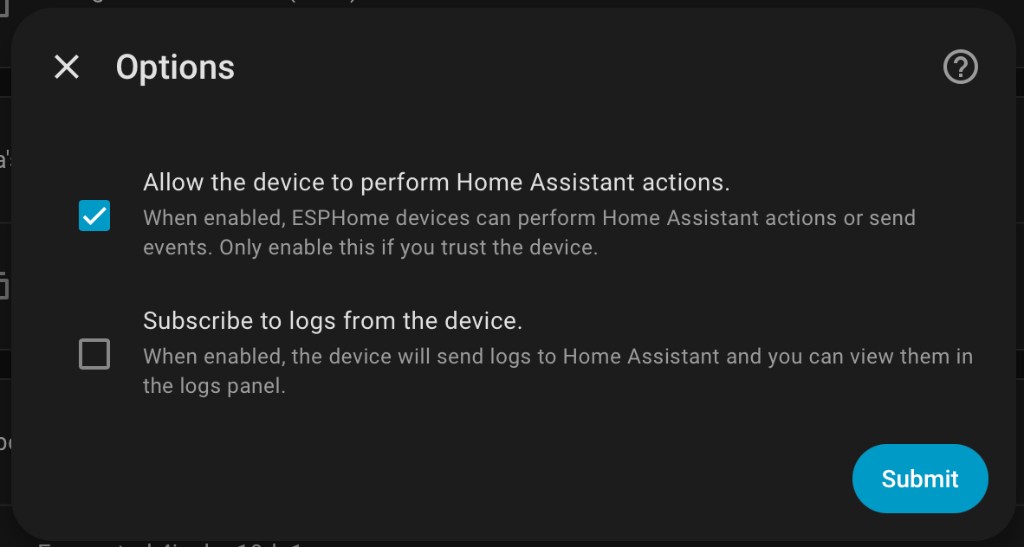
- Check "Allow the device to perform Home Assistant actions" and click Submit.
- Go back to your display and tap Done on the setup screen. Your cards will now be able to control Home Assistant devices.
One-time setup
You only need to do this once per device. The setting persists across firmware updates and device restarts.
What If I Skip This?
You won't be able to control any devices, it will be in a read-only state, and entities such as lights, switches, fans, scenes, scripts, helpers, covers, locks, media players, and climate devices won't do anything when tapped. Weather cards set to Temperatures Today or Temperatures Tomorrow also won't be able to fetch the daily forecast.
Device Not Showing Up?
If you don't see your EspControl device in the ESPHome integration, it may not have been added to Home Assistant yet. Head back to the Install guide to add it first.