
4.3-inch JC4880P443
Check the chip revision
This firmware supports the original panel with ESP32-P4 silicon below v3.0. For the newer SKU 10150002-V3, including v3.2 chips, use the separate JC4880P443 V3 firmware. The two revisions need different firmware and C6 recovery images.
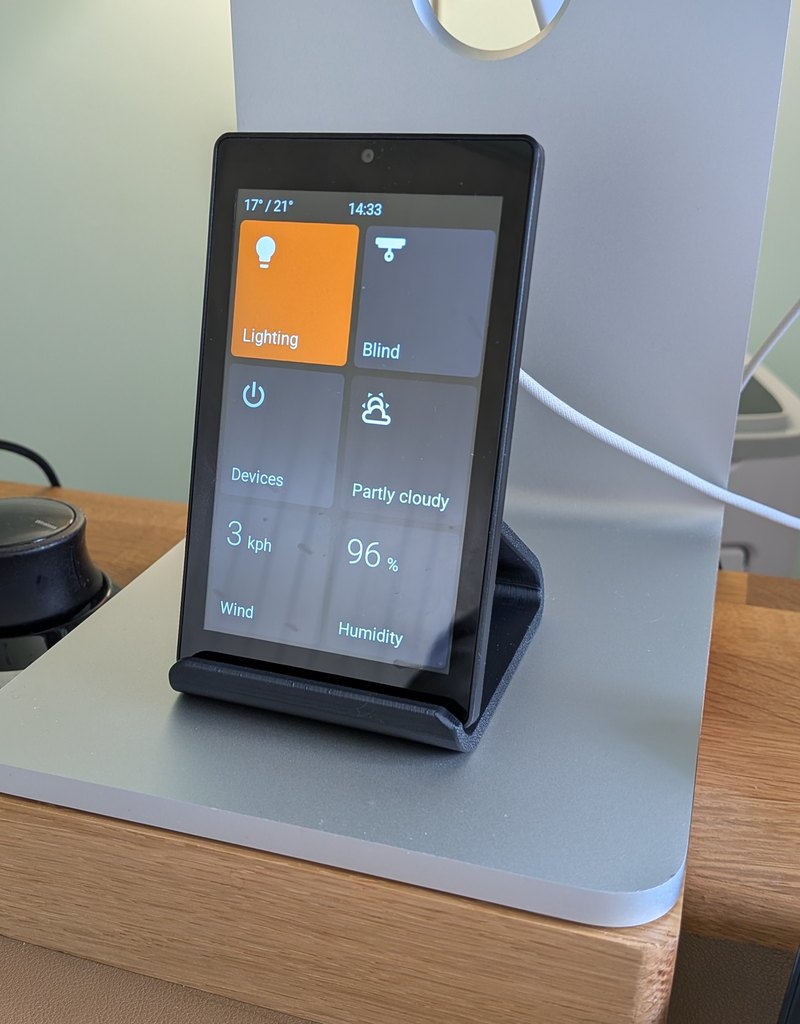
The Guition JC4880P443 is a 4.3-inch portrait touchscreen powered by an ESP32-P4 processor. Its tall, narrow layout fits naturally beside a light switch or door frame, with room for 6 cards on the home screen.
Card Grid
The home screen uses a 3-row x 2-column grid, giving you 6 card slots. Any home-screen card can be turned into a Subpage folder containing up to 5 more cards.
Flexible card sizes are supported: Single, Tall, Wide, and Large.
In landscape, the volume dial reuses the existing 140 px clock font and places its smaller −/+ buttons along the bottom edge. Other dial −/+ buttons are also smaller to fit the shorter screen. This also applies to the V3 panel.
Install
Connect the display to your computer with a USB-C data cable plugged into the port shown below, then click the button to flash.
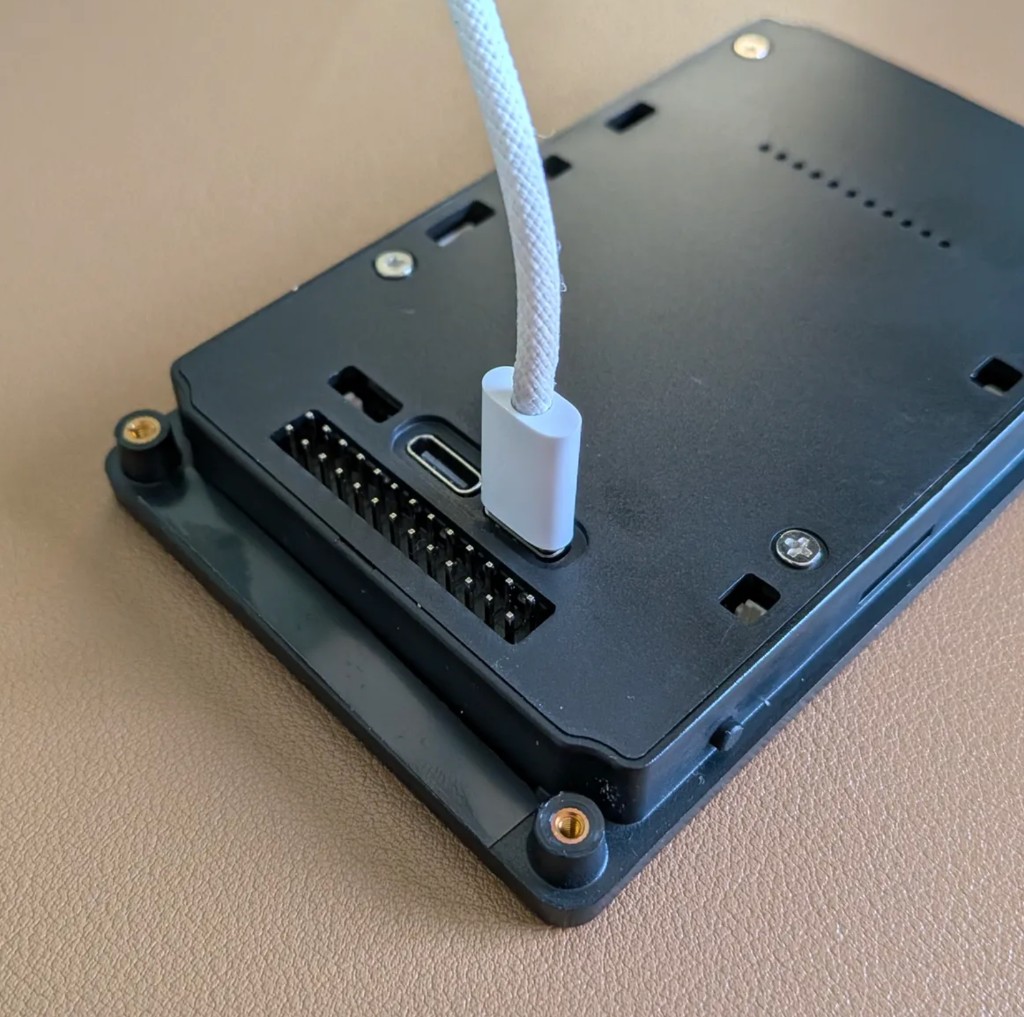
This P4 panel uses a separate ESP32-C6 Wifi processor. If it repeatedly disconnects, disappears from Home Assistant, or cannot finish initial setup, use the USB C6 recovery installer.
For a full walkthrough including WiFi setup and Home Assistant pairing, see the Install guide.
ESPHome Manual Setup
If you use ESPHome and prefer to compile firmware yourself:
substitutions:
  name: "hallway-screen"
  friendly_name: "Hallway Screen"

wifi:
  ssid: !secret wifi_ssid
  password: !secret wifi_password

packages:
  setup:
    url: https://github.com/jtenniswood/espcontrol/
    file: devices/guition-esp32-p4-jc4880p443/packages.yaml
    refresh: 1sec
Where to Buy
- AliExpress: ~£24
- Desk stand (3D printable): MakerWorld